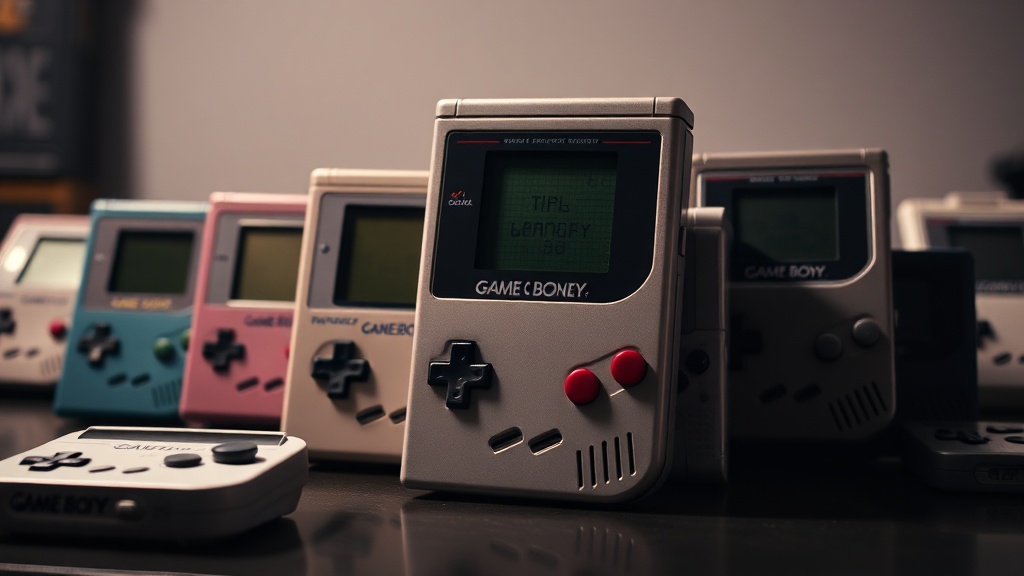
How to Catalog Your Game Boy Collection Without Losing Your Mind

Why Do Game Boy Collectors Need an Inventory System?
Picture this — you're at a flea market in Portland, flipping through a bin of loose cartridges. You spot a copy of Shantae with a $40 price tag (an absolute steal), but there's a problem. You can't remember if you already own it. Your collection spans three shelves, two storage bins, and that drawer in your office you keep meaning to organize. You buy it anyway — better safe than sorry — only to discover an identical copy sitting in your "to catalog" pile when you get home. Now you're out $40 for something you didn't need, and that sinking feeling sets in. This scenario plays out weekly in collector circles, and it's entirely preventable.
A proper inventory system isn't just for insurance purposes (though that's important too). It's your memory extension — a way to track what you own, what condition it's in, what you paid, and where you stored it. For Game Boy collectors specifically, the challenge is amplified by the sheer variety of items: loose cartridges, complete-in-box games, variant boxes, Japanese imports, different hardware revisions, accessories, manuals, and promotional materials. Without a system, you'll miss opportunities, buy duplicates, and lose track of rare items you spent months hunting down.
The good news? You don't need expensive software or a complicated spreadsheet to get started. A functional catalog can begin with a notes app on your phone and evolve as your collection grows. The key is consistency — tracking the same fields for every item, updating regularly, and making the system easy enough that you'll actually use it. Let's break down exactly what information matters for Game Boy collectibles and how to structure it without turning cataloging into a second job.
What Information Should You Track for Each Game Boy Item?
Start with the basics that identify the item uniquely. For cartridges, record the title, region (NA, JP, PAL), and whether it's a standard gray cart or a colored variant (like the clear purple Tetris or the gold Zelda cartridges). Include the catalog number printed on the label — this helps distinguish revisions and reprints that collectors care about. If the item is complete-in-box, note whether it includes the manual, any inserts, registration cards, or promotional materials. These extras dramatically affect value and desirability.
Condition documentation is where most collectors slip up — they rely on memory rather than recording specifics at acquisition time. For cartridges, assess the label (mint, light wear, peeling, writing, tears) and the plastic shell (yellowing, cracks, teeth marks from the cartridge eject mechanism). For boxes, note corner wear, creases, sun fading, or price sticker residue. Photograph everything — especially flaws — when you first acquire an item. Memory fades, but a photo taken in consistent lighting shows exactly what you bought. Apps like PriceCharting let you upload images alongside entries, or you can maintain a simple folder structure on your phone or cloud storage.
Provenance and pricing data round out your records. Where did you buy this? How much did you pay? Was it a trade? This information proves invaluable when selling (buyers love knowing an item's history) or for tracking your collection's appreciation over time. It also helps you recognize good deals when you see them — if you paid $15 for a loose Wario Land II last year and see one for $8 today, you know that's worth grabbing. Consider adding a "wishlist" field too — mark items you're actively hunting so you can quickly check against finds in the wild.
How Should You Organize Game Boy Items by Category?
Dumping everything into one giant list creates visual noise and makes your inventory harder to use. Instead, sort your collection into logical groupings that match how you think about and access your items. Most collectors find success with a hardware/software split: keep your Game Boy systems (original, Pocket, Color, Light, Advance, Micro, and variants) separate from your games and accessories. Within software, consider breaking down by system generation — original Game Boy, Game Boy Color, Game Boy Advance — since these often get stored or displayed separately anyway.
Some collectors prefer thematic organization: RPGs, platformers, puzzle games, and imports. Others group by acquisition status — "cataloged and stored," "needs cleaning," "for sale/trade," or "incoming purchases." The method matters less than consistency. Pick an approach that reflects your collecting habits. If you frequently pull out your Game Boy Color titles to test systems, keeping those separate from your original Game Boy collection saves time. If you hunt Japanese exclusives, a dedicated import section helps you track region-specific goals.
Physical storage should mirror your digital catalog structure. If your spreadsheet lists "Game Boy Color — RPGs — Loose," then your physical RPGs should live together in one container, not scattered across shelves. Label your storage bins clearly — "GBA — Need Manuals" or "GB — Complete in Box — Wario Series" — so you can locate items without cross-referencing your phone every time. This might sound obsessive, but when you're hunting for that one specific variant to photograph for a sale, you'll appreciate the thirty seconds it takes to find it.
Which Tools Actually Work for Tracking Game Boy Collections?
Spreadsheet warriors will tell you that Excel or Google Sheets is the only way — and they're not wrong about the flexibility. A simple spreadsheet with columns for title, system, condition, purchase price, current market value, storage location, and notes handles 90% of collector needs. You can sort by any field, filter by condition, and create pivot tables showing your spending by year or system. The downside? Manual entry gets tedious, and there's no built-in image storage or barcode scanning.
Specialized collecting apps offer conveniences that spreadsheets can't match. PriceCharting maintains current market values for Game Boy titles and lets you track your collection's total worth automatically. GameEye focuses specifically on video games with barcode scanning, cover art lookup, and want-list tracking. Collectr offers mobile-first cataloging with cloud sync across devices. Each has trade-offs — some require subscriptions for full features, others have limited offline functionality. Try the free tiers before committing.
For the technologically averse (or those with small collections), don't underestimate physical methods. A notebook with printed checklists, a binder with trading card sleeves holding printed cover images, or even Polaroids in a photo album can serve as a perfectly functional catalog. The best system is the one you'll maintain. A half-updated fancy app is worse than a complete paper list. Start simple, prove you'll stick with it for a few months, then upgrade your tools if the friction bothers you. Your future self — the one at that flea market wondering if you already own Survival Kids — will thank you regardless of the method you choose.
How Often Should You Update Your Game Boy Collection Catalog?
Consistency beats perfection here. Set a schedule that matches your collecting velocity. If you acquire multiple items monthly, dedicate thirty minutes after each purchasing trip to photograph and log new additions. If you're a slow-and-steady collector, a monthly review session works fine. The critical window is immediately after acquisition — that's when you remember the price, the seller's story, and the specific flaws you noticed. Wait a week, and details blur. Wait a month, and you'll be squinting at cartridges trying to remember if that label tear was there when you bought it.
Schedule deeper audits quarterly or bi-annually. Pull items out of storage, verify they're where your catalog says they are, update condition notes if they've changed, and check current market values. This doubles as a maintenance opportunity — inspect for new cracks, clean contacts if needed, and rotate items in display cases to prevent UV damage on any single piece. These audits often reveal surprises: a variant you forgot you owned, a manual you thought was missing, or a game that's appreciated significantly since purchase.
Don't let perfect be the enemy of good. A catalog that's 80% complete and actively maintained beats a "comprehensive" system abandoned after the first weekend. Start with your ten most valuable items. Log those perfectly — photos, condition details, purchase history. Then expand by five or ten items per session. Within a month, you'll have coverage of your core collection, and the habit will feel natural rather than burdensome. The Game Boy collecting community has enough stories of collectors finding "new" items in their own storage — don't become another cautionary tale because updating your inventory felt like too much work.
Your catalog becomes more valuable the longer you maintain it. Five years from now, you'll have a documented history of your collecting journey — the deals you found, the milestones you hit, the items you traded away and sometimes regretted. That narrative has worth beyond the monetary value of the plastic and circuit boards. Treat your inventory as part of the hobby, not a chore separate from it, and you'll build something that serves you for years to come.