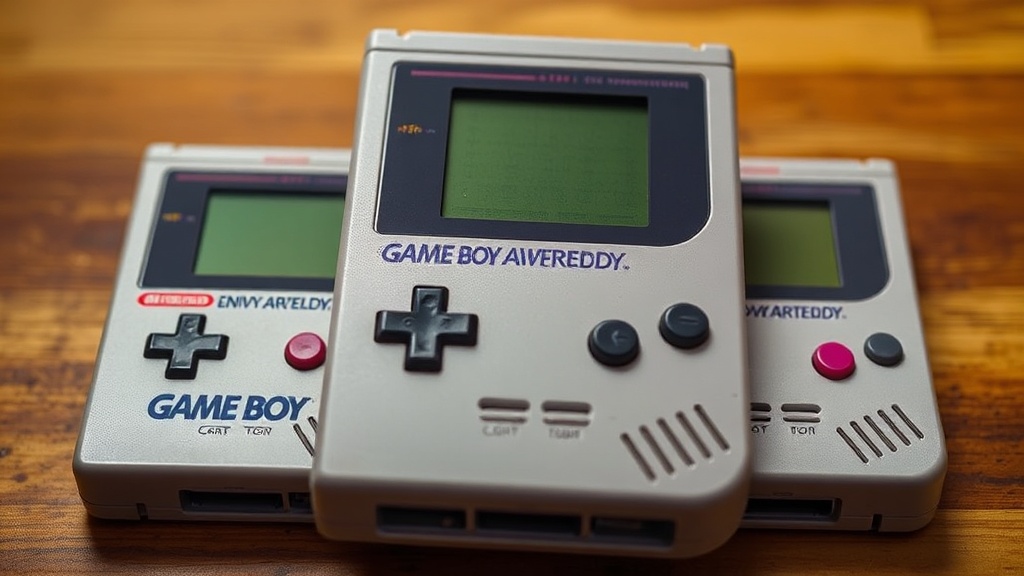
How to Clean and Restore Your Game Boy Cartridges Like a Pro

This guide covers the complete process of cleaning and restoring original Game Boy cartridges—from basic contact maintenance to reviving corroded shells and faded labels. Whether you've picked up a yellowed copy of Tetris from a garage sale or discovered a battery-dead Pokémon Gold in a drawer, proper restoration protects your investment and ensures these classic games keep running for decades.
What Supplies Do You Need to Clean Game Boy Cartridges?
You'll need just a handful of affordable tools—most available at hardware stores or online. No fancy equipment required.
Here's what works:
- 99% isopropyl alcohol — the higher concentration the better. Skip the 70% stuff from the pharmacy; it leaves residue.
- Cotton swabs (Q-tips) — the classic choice, though lint-free cleaning swabs (like those from Chemtronics) work even better.
- A soft toothbrush — for scrubbing corrosion off contacts.
- Plastic opening tools or guitar picks — for cracking open stubborn cartridges without scratching them.
- Brasso or Novus Plastic Polish — for restoring yellowed or scratched plastic shells.
- A tri-wing security screwdriver — Nintendo's proprietary screw head. The iFixit Game Bit 4.5 mm is the gold standard.
That said, avoid harsh chemicals like acetone or nail polish remover. They'll melt plastic faster than you can say "game over." Stick to isopropyl alcohol for anything electronic. For shell restoration, Brasso (a metal polish, ironically) works surprisingly well on ABS plastic when applied carefully.
Worth noting: Some collectors swear by Retr0bright for yellowed cartridges, though the hydrogen peroxide treatment requires sunlight and patience. More on that later.
How Do You Safely Open a Game Boy Cartridge?
Opening the cartridge case requires a tri-wing screwdriver—standard Phillips heads won't work and will strip the screws.
Original Game Boy, Game Boy Color, and Game Boy Advance cartridges all use Nintendo's security screws. The tri-wing pattern looks like a peace sign with an extra line. You'll find quality drivers at iFixit or retro gaming specialty shops like Castlemania Games.
Here's the thing—patience matters. These screws can strip if you're heavy-handed. Press down firmly while turning, and if a screw refuses to budge, a drop of penetrating oil (like WD-40) left for ten minutes helps. Just clean the residue thoroughly afterward.
Once screws are out, the cartridge splits in half. The PCB (printed circuit board) lifts out easily. Take a photo before disassembling—it's your insurance policy for reassembly. Some cartridges have small plastic tabs or metal shields that can fall out unnoticed.
The catch? Some third-party games and later Nintendo releases used standard Phillips screws. Always check before forcing a tri-wing driver into a perfectly normal screw head.
Dealing With Stripped Screws
Stripped screws happen. When they do, a rubber band placed between the driver and screw head often provides enough grip to turn it. For really stubborn cases, a small Dremel cutting wheel can slot the screw for a flathead driver—just don't cut into the plastic.
How Do You Clean Corroded Game Boy Cartridge Contacts?
Corroded or dirty contacts cause the dreaded "blank screen" or glitchy graphics when you power on your Game Boy. Cleaning them usually fixes the problem immediately.
Dip a cotton swab in 99% isopropyl alcohol and scrub the gold contacts on the PCB's edge connector. You'll see black residue transfer to the swab—that's oxidation and grime. Keep going until the swab comes away clean. It might take five or six passes on particularly nasty cartridges.
For stubborn corrosion (green or white buildup), a soft toothbrush with alcohol works wonders. The bristles reach into the tiny crevices between contact pads. Scrub gently—you're not sanding a deck.
Here's where opinions split. Some collectors use a white pencil eraser (the kind on a #2 pencil) for light oxidation. It works, but eraser debris can get everywhere. If you go this route, follow up with an alcohol-dampened swab to remove rubber particles.
The contacts should look bright gold when finished. If they're pitted or the gold plating has worn away exposing copper underneath, the cartridge may never work reliably. That's the reality of well-loved games.
What's the Best Way to Restore Yellowed Game Boy Cartridges?
That sickly yellow-brown color on old plastic? It's bromine migration—a chemical reaction in the flame retardants added to ABS plastic. Sunlight and heat accelerate it. Fortunately, you can reverse the damage.
Retr0bright is the collector community's preferred method. The basic formula combines 12% hydrogen peroxide cream (hair developer from beauty supply stores), a dash of OxyClean, and xanthan gum to thicken it into a paste. Coat the yellowed plastic, wrap it in plastic wrap, and leave it in direct sunlight for several hours.
The results can be dramatic—a "smoker's teeth" yellow Game Boy can return to its original gray in a single afternoon. That said, the treatment isn't permanent. Without UV protection, yellowing returns within a few years.
| Method | Cost | Time Required | Effectiveness | Best For |
|---|---|---|---|---|
| Brasso Polish | $8-12 | 30 minutes | Good for surface yellowing and scratches | Light to moderate discoloration |
| Retr0bright Treatment | $15-25 | 4-8 hours + drying | Excellent for deep yellowing | Severe bromine migration |
| Novus Plastic Polish | $12-18 | 20 minutes | Great for shine, limited whitening | Finishing after other treatments |
| UV-Protective Clear Coat | $10-15 | 1 hour | Prevents future yellowing | Post-restoration protection |
For minor yellowing, Brasso metal polish works surprisingly well. Apply a small amount to a soft cloth, rub in circular motions, and buff clean. It won't penetrate as deeply as Retr0bright, but it's faster and less messy.
Protecting Labels During Restoration
Labels are fragile. Never get alcohol, water, or polish on them—it dissolves the adhesive and damages the printing. Mask off the label with painter's tape before any restoration work. Better yet, remove the PCB and work only on the empty shell.
How Do You Replace a Dead Save Battery in Game Boy Cartridges?
Game Boy games with save functionality use a CR2032 or CR2025 battery soldered to the PCB. When it dies (usually after 15-20 years), your saves disappear forever.
You'll need:
- A soldering iron (25-40 watts)
- Desoldering braid or a solder sucker
- A fresh CR2032 battery with pre-attached tabs (don't attempt to solder directly to a standard coin cell—it can explode)
- Electrical tape or a battery holder (optional upgrade)
Heat the existing solder joints while gently prying the old battery loose. Clean the pads with desoldering braid. Position the new tabbed battery with the positive side facing up (check the old battery's orientation first—that photo you took comes in handy here).
Here's the thing about battery holders: They let you replace batteries without soldering in the future. Console5 sells snap-in holders designed for Game Boy PCBs. It's a small upgrade that future-proofers your collection.
The catch? Some later Game Boy Color and GBA games used different battery sizes or saved to flash memory instead. Check your specific game before ordering parts. Pokémon games are notorious battery hogs. Tetris doesn't have one at all—it saves to SRAM without a battery (a neat trick that limits save slots).
How Should You Store Game Boy Cartridges Long-Term?
Restoration is only half the battle. Proper storage prevents you from doing this all over again in five years.
Keep cartridges in a cool, dry place away from direct sunlight. UV exposure accelerates plastic yellowing and degrades labels. Humidity is the enemy—anything over 60% relative humidity invites corrosion on contacts and battery terminals.
Plastic cases help. BitBox cases from Stone Age Gamer or generic clam-shell cases from retro game stores protect against dust and physical damage. Avoid rubber-banding cartridges together—rubber degrades and can permanently stain plastic.
For serious collectors, silica gel packets in storage boxes control moisture. Replace them every year or two when they stop being effective. You can recharge saturated packets in a low oven if you're thrifty.
That said, don't seal cartridges in airtight containers without desiccants. Trapped moisture with nowhere to go creates a terrarium effect—ask anyone who's opened a "mint" sealed game to find the contacts green with corrosion.
Display Considerations
Sunlight streaming through a display case looks great. It's also a death sentence for plastic. Use UV-filtering glass or acrylic, or position displays away from windows. LED lighting provides safe illumination without the damaging spectrum that causes yellowing.
When Should You Seek Professional Restoration?
Some damage exceeds DIY territory. Severely corroded PCBs, torn labels, or rare variants worth hundreds of dollars warrant professional handling.
Water damage—especially from flooding or long-term basement storage—often leaves mineral deposits that home cleaning can't remove. Ultrasonic cleaning machines used by professional restorers can save these carts when alcohol swabs fail.
Label restoration is another specialty. Companies like ReplacementDocs sell high-quality reproduction labels, though purists debate whether re-labeled games are "authentic." For irreplaceable labels (think Little Samson or Panzer Dragoon Saga), professional paper conservators can stabilize torn or peeling artwork.
Here's the bottom line: A $5 copy of Dr. Mario? Clean it yourself and learn the process. A complete-in-box Shantae for GBA worth north of a grand? Maybe don't experiment on that one.
"The best restoration is the one you don't have to do. Store your games right the first time, and they'll outlast you." — Common collector wisdom
Clean cartridges load faster, save reliably, and retain their value. More importantly, they connect you to gaming history without the frustration of glitchy screens or lost progress. Take an afternoon, gather your supplies, and give those gray plastic rectangles the care they deserve. Your future self—and the next generation of collectors—will thank you.
Steps
- 1
Gather Your Cleaning Supplies
- 2
Clean the Cartridge Contacts
- 3
Inspect and Test Your Game