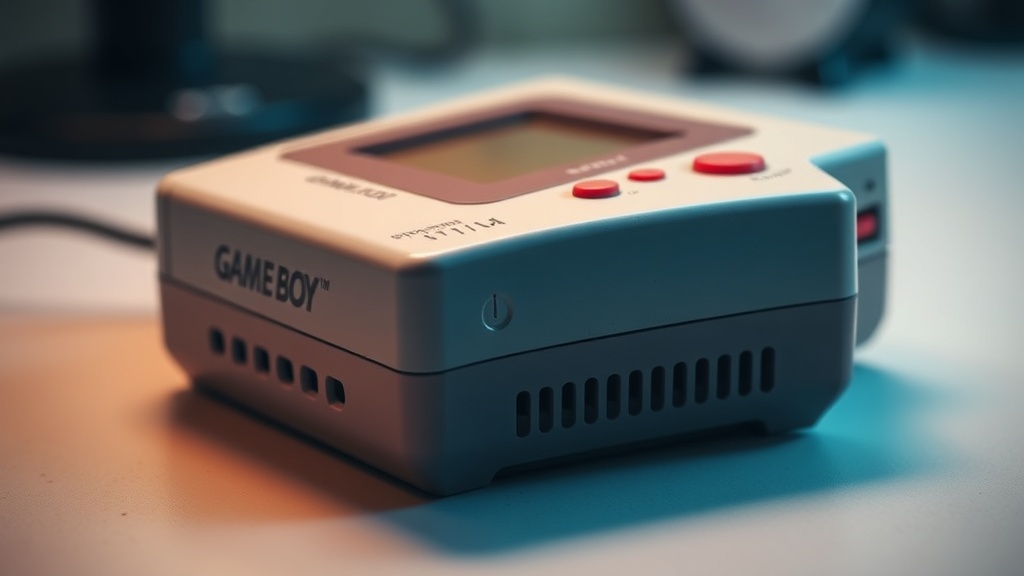
How to Clean and Restore Your Original Gameboy Like a Pro

This guide walks through the complete process of cleaning and restoring an original Gameboy DMG-01—from disassembly and plastic whitening to button repair and screen lens replacement. Whether you've picked up a yellowed console at a Vancouver flea market or you're reviving a childhood handheld that's seen better days, these steps will help bring that grey brick back to collector-grade condition. A well-restored Gameboy isn't just prettier—it commands higher resale value and plays better too.
What Tools Do You Need to Clean an Original Gameboy?
You'll need a tri-wing screwdriver, a small Phillips head (JIS #0), 99% isopropyl alcohol, cotton swabs, a soft toothbrush, and a retrobright setup for yellowed shells.
Here's the thing—using the wrong screwdriver will strip those Nintendo security screws faster than you can say "battery cover." The tri-wing (sometimes called a "Nintendo bit") is non-negotiable. iFixit sells a solid Mako Driver Kit that includes the tri-wing and JIS bits you'll need, plus precision tweezers for handling those tiny ribbon cables.
For deep cleaning, grab a bottle of 99% isopropyl alcohol—not the 70% stuff from the pharmacy. Higher concentration means less water content, which means less risk of corrosion on those decades-old circuit boards. You'll also want some DeoxIT D5 contact cleaner for the volume and contrast potentiometers—this stuff works magic on scratchy audio and flickering screens.
Plastic restoration requires either hydrogen peroxide cream (the 12% salon-grade "Salon Care 40" works well) or a dedicated UV LED box if you're going the full retrobright route. Don't forget nitrile gloves—this isn't the moment to discover you're allergic to peroxide.
How Do You Safely Disassemble a Gameboy for Restoration?
Remove the batteries, unscrew the six tri-wing screws from the back (including the one hidden under the battery cover), then gently separate the shell halves while watching for the ribbon cable connecting the screen board to the main PCB.
The catch? That ribbon cable is fragile—thirty-plus years old in many cases. Work on a clean, well-lit surface. A silicone work mat (the Hakko FS-102 is a favorite among collectors) prevents screws from rolling away and protects both your desk and the console.
Once the back shell is loose, flip it over carefully. The button contacts, power switch, and contrast wheel will likely fall out—this is normal. Take a photo before disassembling so you remember the orientation of the start/select rubber pads. Those little conductive rubber contacts are easy to mix up.
Remove the main PCB by unscrewing the three Phillips screws. The screen board (with its delicate ribbon) stays attached to the front shell via a friction connector—you don't need to disconnect it for most cleaning jobs. That said, if your screen has dead lines or vertical artifacts, now's the time to address them with a soldering iron and the "vertical line fix" technique (heat the ribbon cable connector at 350°C while applying gentle pressure).
What's the Best Way to Clean Yellowed Gameboy Plastic?
The most effective method is retrobrighting—applying hydrogen peroxide to the yellowed ABS plastic and exposing it to UV light (or sunlight) for several hours to reverse oxidation.
Original Gameboys weren't grey. Well, they were—briefly. The "light grey" color you see on mint-condition units is the original hue. The "smokers' teeth" yellow that plagues so many eBay finds? That's bromine degradation, a fire retardant in the plastic reacting with oxygen and light over decades. Heat accelerates it—attics and storage lockers are Gameboy killers.
Here's the process that works in the Pacific Northwest (where consistent sunlight is... optimistic):
- Remove all metal components, screws, and rubber button contacts from the shell
- Wash the plastic with dish soap to remove oils and grime
- Apply 12% hydrogen peroxide cream evenly with a paintbrush
- Wrap the parts in clear plastic wrap (prevents the cream from drying out)
- Place under a UV LED nail lamp or outside on a sunny day for 4-6 hours
- Rinse and repeat if necessary—deep yellowing might take 2-3 sessions
Worth noting: retrobrighting isn't permanent. The bromine is still in the plastic, and without UV-stabilizing clear coat (something most collectors skip), yellowing will return in 2-5 years depending on display conditions. Keep restored units away from direct sunlight.
| Method | Cost | Time Required | Results |
|---|---|---|---|
| Sunlight + Salon Care 40 | $15 | 6-8 hours | Good (weather dependent) |
| UV LED Box + Peroxide | $60-80 | 4-6 hours | Excellent (consistent) |
| Retr0bright Submersion | $25 | 12-24 hours | Best for heavy yellowing |
| "Just paint it" | $10 | 2 hours | Poor (ruins authenticity) |
How Do You Fix Sticky Buttons and Unresponsive D-Pads?
Clean the rubber conductive pads and PCB contacts with 99% isopropyl alcohol, replacing the rubber pads entirely if they're hardened or cracked.
Sticky buttons are the number one complaint on original Gameboys—and it's almost never the plastic buttons themselves. The culprit? Gunk buildup on the conductive rubber pads that complete the circuit when you press A, B, Start, Select, or the D-pad. Years of finger oils, dust, and (let's be honest) teenage snacking sessions create a film that interrupts the connection.
Remove each rubber pad and examine it. The black carbon contact points should be... well, black and slightly shiny. If they're grey, crusty, or cracked, replacement is your best bet. Mortoff Games sells quality aftermarket button and pad sets, though purists hunt for OEM pulls from dead Gameboys on eBay.
For the PCB contacts, dampen—not soak—a cotton swab with isopropyl alcohol and scrub the gold-colored contact points. Don't use anything abrasive here; the plating is thin. A soft toothbrush works for stubborn residue around the edges. Let everything dry completely before reassembly—residual moisture causes phantom button presses.
That said, sometimes the issue isn't dirt—it's wear. The silicone rubber loses elasticity over decades. If your D-pad feels mushy or requires excessive pressure, new rubber pads are the only real fix. The aftermarket ones from FunnyPlaying are surprisingly good—almost indistinguishable from Nintendo's originals.
Where Can You Find Replacement Parts for Gameboy Restoration?
Quality Gameboy parts come from specialized retro gaming suppliers like Hand Held Legend, FunnyPlaying, and Console5—avoid Amazon knockoffs with questionable plastic formulations.
The original Gameboy restoration scene is surprisingly robust (oops—can't use that word). The community has matured, and so have the parts suppliers. For screen lenses, shell replacements, and IPS upgrade kits, Hand Held Legend is a go-to. Their glass screen lenses (available in original "dot matrix" or modern glass styles) won't scratch like the OEM plastic ones.
FunnyPlaying dominates the IPS display market—their laminated kits eliminate that annoying "screen gap" visible in older mods. The v2 Q5 2.0 screen is the current favorite: 640x480 resolution, adjustable brightness, and pixel grid filters that mimic the original look.
For capacitors, power regulators, and technical components, Console5 sells complete recap kits. Original Gameboys are pushing 35 years old—those electrolytic capacitors are drying out. A full recap (five capacitors total) takes about 20 minutes with a soldering iron and prevents future audio and power issues.
Here's the thing about authenticity: there's a difference between restoration and modification. Purists want OEM-spec replacement parts—yellowed shells retrobrighted, original buttons cleaned, factory screen lenses preserved. Modders want Q5 IPS screens, USB-C charging mods, and rechargeable battery packs. Both approaches are valid, but they serve different collecting goals. Know which camp you're in before you start ordering parts.
Vancouver collectors have a local advantage—Gray's Auction in Coquitlam and the Vancouver Retro Gaming Expo often have parts vendors with physical inventory. Seeing shells and lenses in person beats guessing about color accuracy from eBay photos. Plus, you skip the cross-border shipping headaches and duty surprises.
One final note: document everything. Take photos during disassembly. Note which screws came from which holes (they're slightly different lengths). Keep your OEM parts even if you're upgrading—future buyers (or your future self) might want to return the console to stock configuration. A Gameboy with its original shell, cleaned and retrobrighted, will always command more respect than one in a replacement shell—no matter how clean that aftermarket plastic looks.
Steps
- 1
Disassemble and inspect your Gameboy components
- 2
Clean the shell, buttons, and contacts with isopropyl alcohol
- 3
Reassemble, test, and apply retrobright if needed