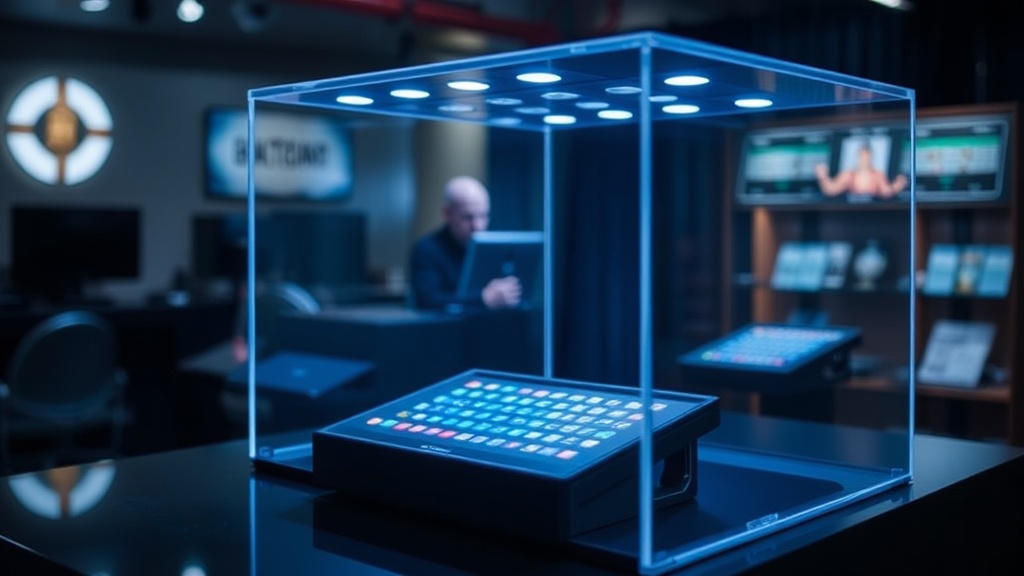
Why Your Handheld Display Case Needs Proper Lighting

A single hour of direct sunlight can fade the vibrant purple of a Game Boy Color's shell permanently. While many collectors focus solely on the hardware itself, the environment surrounding the device often dictates its long-term survival. This post examines the specific lighting requirements for handheld consoles, focusing on how different light spectrums impact plastic integrity and screen visibility.
The plastic used in the 90s—specifically the ABS plastic found in most Nintendo handhelds—is highly susceptible to photochemical degradation. When UV rays hit these surfaces, they break down the polymer chains. This doesn't just cause color fading; it leads to brittleness and structural failure. If you're displaying a collection, you aren't just showing off a piece of history—you're managing a delicate chemical reaction.
What type of light is safest for Game Boy collections?
The safest option is almost always LED lighting. Unlike traditional incandescent bulbs, which emit significant heat, or fluorescent tubes, which can leak small amounts of UV radiation, modern LEDs are much more stable. However, not all LEDs are created hunting. You'll want to look for "UV-free" or "UV-filtered" light sources. A high-quality LED setup provides steady illumination without the invisible radiation that turns a bright teal Game Boy into a dull, yellowish relic.
If you are using light to highlight specific details, consider the color temperature. Cool white light (around 5000K) can make the screens look sharper, but it might also highlight imperfections in the plastic. Warm light (2700K-3000K) provides a more nostalgic feel but can mask the true colors of your hardware. For a professional-grade display, a mix of neutral white light is often the best way to show off the original factory colors without distorting them.
How do I prevent screen discoloration from light exposure?
The LCD screens on the original Game Boy and Game Boy Advance models are particularly sensitive. Even if the shell survives, the liquid crystals and the polarizing film can degrade under intense light. This often results in a "yellowing" effect or a permanent tint that makes the screen look washed out. To avoid this, you should avoid placing your display near windows or under heavy direct-room lighting.
One trick collectors use is the use of UV-filtering acrylic or glass. If you're building a custom case, look for materials that offer high UV protection. You can also use museum-grade acrylic, which is designed to block up to 99% of harmful rays. This isn't just about aesthetics; it's about preserving the clarity of the screen so it looks as crisp as the day it left the box. You can check the technical specs of different plastics at ScienceDirect to understand how light interacts with different materials.
Does heat from lights damage handheld consoles?
Heat is just as much an enemy as UV light. If you use a spotlight that sits too close to a Game Boy, the rising temperature can cause the internal components to expand and contract. This thermal cycling is a major cause of internal damage. It can lead to battery leakage issues or even cause the internal battery-backed RAM to fail more quickly. Always maintain a gap of at least six to twelve inches between your light source and your hardware.
The heat can also affect the internal battery. If you're displaying a console with the batteries still inside, the heat can accelerate the buildup of corrosive gases. It's a good practice to remove any batteries before long-term display. This prevents the risk of acid leaks that could destroy the motherboard and the contact points. For more technical details on battery chemistry and stability, the NIST website provides excellent resources on material stability under thermal stress.
When setting up your display, think about the layout in layers. Start with the brightest, most durable items in the center and place the more sensitive, translucent-shell models in the peripheral areas where light intensity is lower. This creates a natural gradient that protects your most fragile pieces while still making the collection look cohesive.
- LED Strips: Use these for a sleek, modern look. They are low heat and easy to hide.
- Acrylic Covers: A must-have for any serious collector. It adds a layer of protection against both dust and light.
- Distance: The more distance between the light and the plastic, the better the longevity.
Ultimately, a display isn't a static object. It's a living environment. By understanding the physics of light and heat, you ensure that your collection remains a vibrant part of your history rather than a faded memory. Keep an eye on your shells once a month to check for any signs of discoloration or brittleness. Early detection is the only way to catch a problem before it becomes permanent.